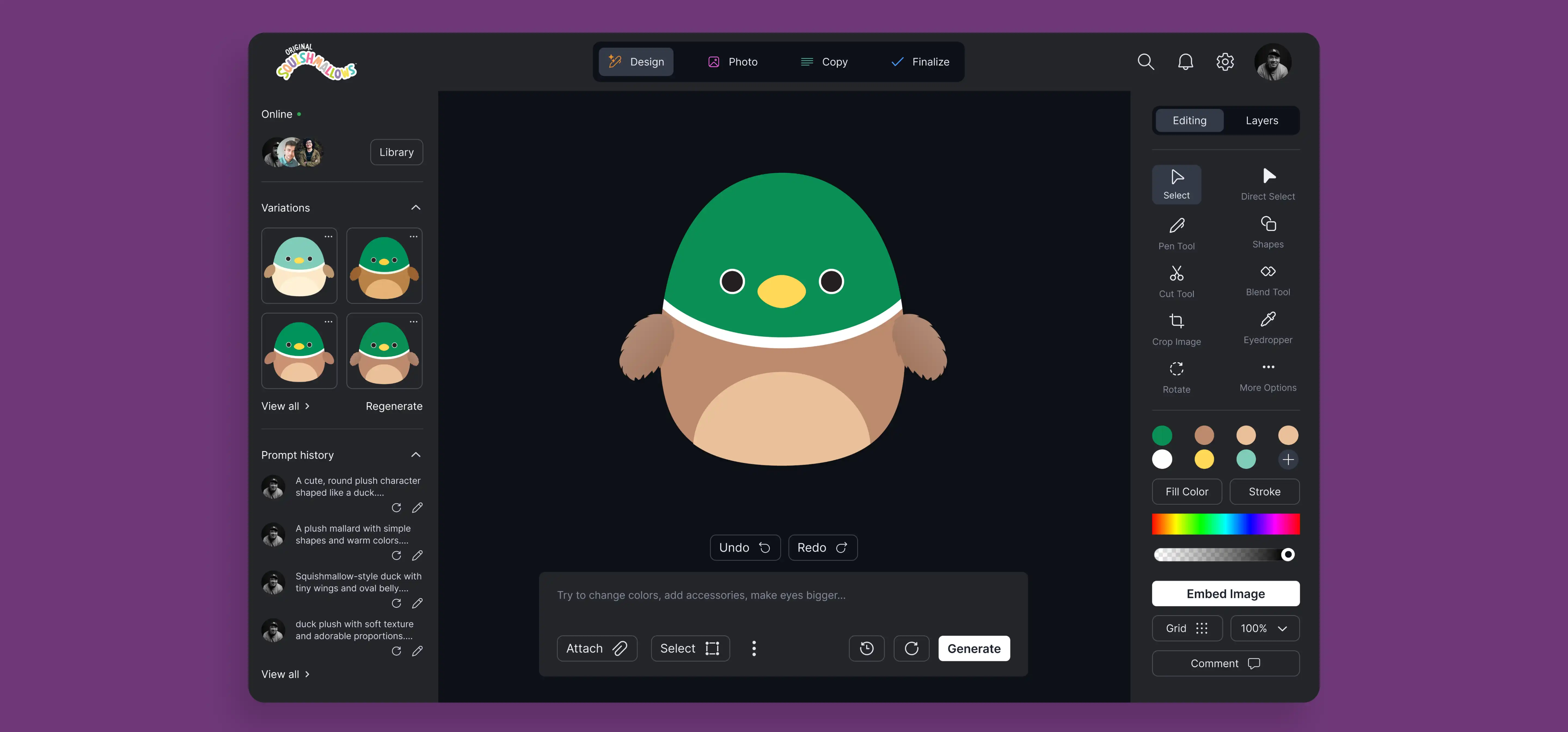
AI Squish Design Tool
What began as a simple idea to let users create custom Squishmallows for apparel evolved into a much larger opportunity. After testing an early vendor-built prototype, leadership realized the real value wasn’t in merchandise customization, but in supporting the internal design team. I was brought in to transform the concept into a scalable, AI-powered tool that streamlines the entire creation process, from initial ideation to development-ready assets, improving speed, consistency, and creativity across the brand.
Role
Lead UX/UI Designer
Duration
5 Months
Team
Product Manager, UX Designer, User Researcher, Toy Designer, Brand Manager
Platform
Responsive Web App
The wins
Leadership Repositioned the Product as a Core Platform
Leadership recognized the opportunity to pivot from a limited merch tool into a scalable internal design platform, repositioning the project as a core part of the Squishmallows workflow.
Our Design Workflows Would Be Unified Into One Secure System
The redesigned platform consolidated fragmented tools, files, feedback, and AI workflows into a single secure system, directly addressing the inefficiencies designers and stakeholders surfaced during interviews.
Leadership Approved The Enterprise-Scale Project
The end-to-end experience was aligned across design, innovation, IT, security, and legal, and is now moving forward with an external development vendor for implementation and validation.
The design process was scattered across multiple tools, creating friction in collaboration and exposing security risks.
My Role
I led the redesign of the Squishmallows AI design platform after it was escalated from a basic merch generator into a core internal design tool. Partnering with our researcher, I studied real designer workflows, synthesized key insights, and redesigned and prototyped the end-to-end experience for stakeholder validation.
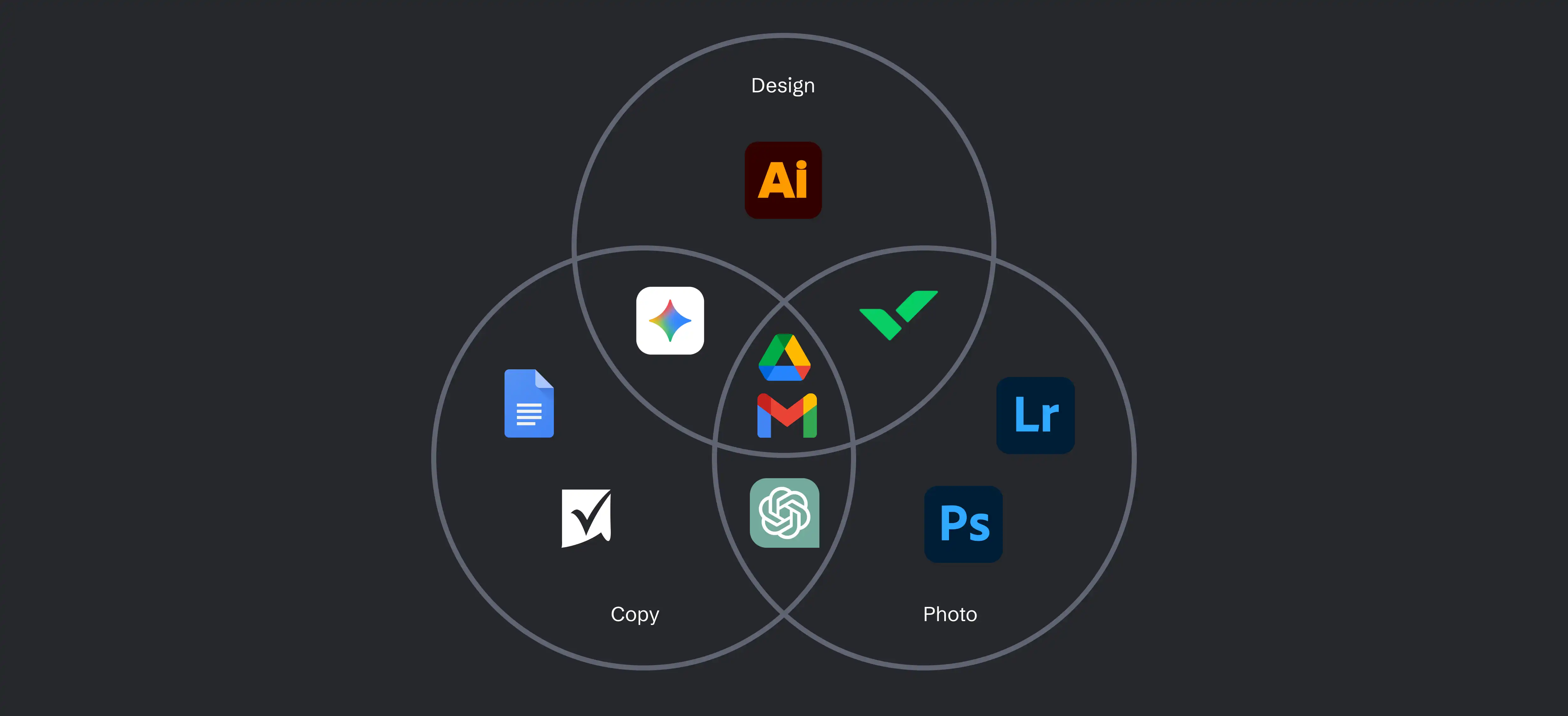
How might we centralize the Squishmallows design process into a single secure tool that improves communication, reduces delays, and protects concept assets?
THE CONTEXT
Why AI?
Many teams involved in creating a Squishmallow, from plush designers to copywriters, have already been using AI tools to brainstorm ideas, speed up their workflows, and explore variations. The company recognizes the value of AI, but there were understandable concerns around security, confidentiality, and rights management when work was done in third-party platforms. To address this, leadership approved the use of AI only within a closed, internal system, ensuring the benefits of AI without exposing company information externally.
UNDERSTANDING OUR USERS
Interviewing the Designers
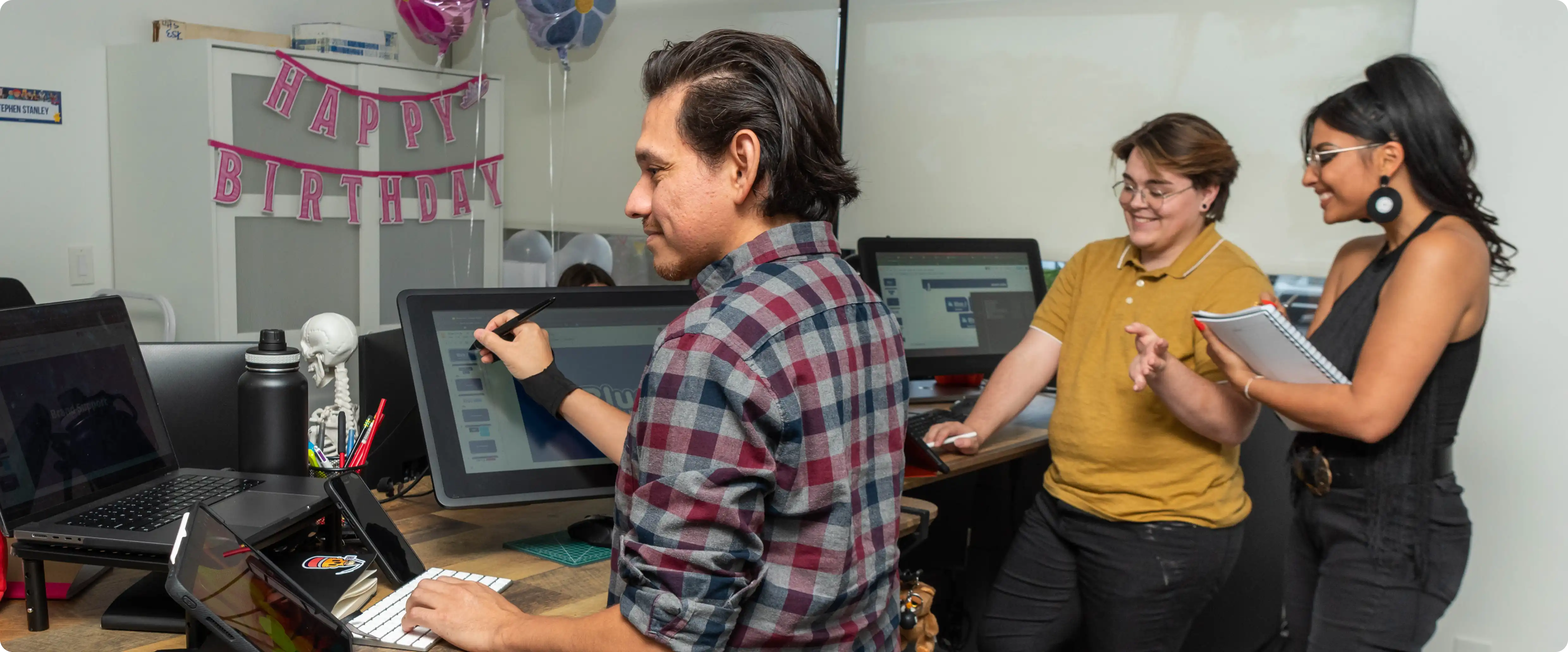
To avoid making assumptions based on the early MVP, we needed to understand the real pain points across the entire workflow. I partnered with our user researcher to interview every designer, copywriter, photographer, and key stakeholder on the Squishmallows team to map their process end-to-end and uncover frustrations we hadn’t previously identified.
KEY TAKEAWAY #1
Files are scattered, outdated, and difficult to manage in Google Drive.
of designers said they “aren’t confident” they’re working from the most current file.
KEY TAKEAWAY #2
Feedback is scattered and inconsistent across emails, licensors, and squads.
of designers reported that giving/receiving feedback “takes longer than it should.”
KEY TAKEAWAY #3
Jumping between Illustrator and external AI tools disrupts their workflow.
of designers said using AI requires “too much switching between different apps.”
Competitor Analysis
We spent time in the tools used daily by the design, photo, and copy teams. By working directly in these environments ourselves, we were able to understand not just how the tools functioned, but where friction, duplication, and handoffs broke down. This hands-on approach helped us identify which patterns felt familiar and worth preserving, and where there were clear opportunities to simplify, unify, and improve the overall experience.

Adobe Creative Cloud
We analyzed the Adobe tools designers and photographers use daily and mirrored familiar patterns to ensure the platform felt intuitive from the start.
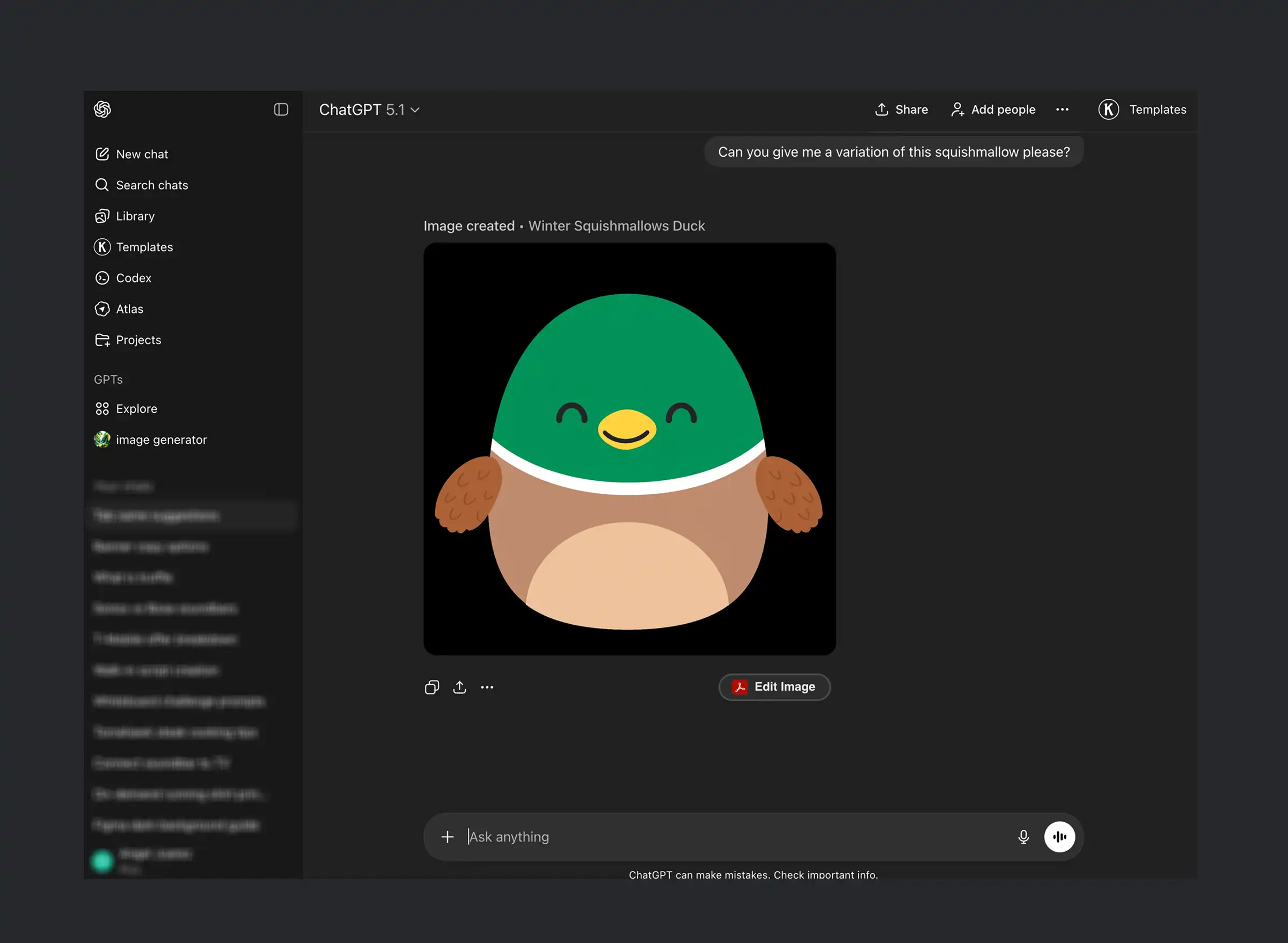
We reviewed the various AI tools already used by the team to identify the best candidate to integrate into our platform.
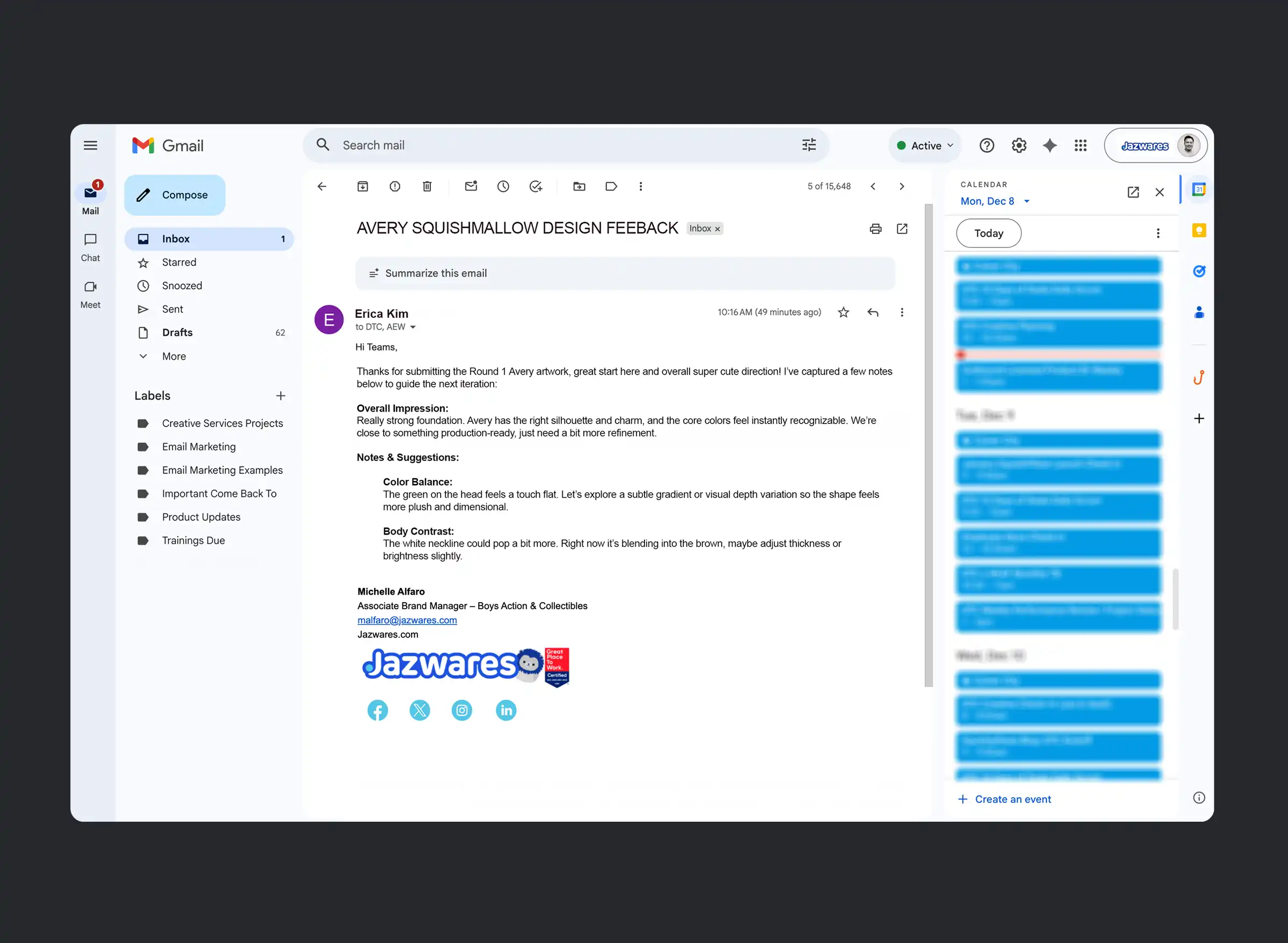
We reviewed past email exchanges to identify recurring stakeholder feedback, allowing us to address communication gaps and make it easier for them to provide input.
Why We Built the Platform Around the Designer First
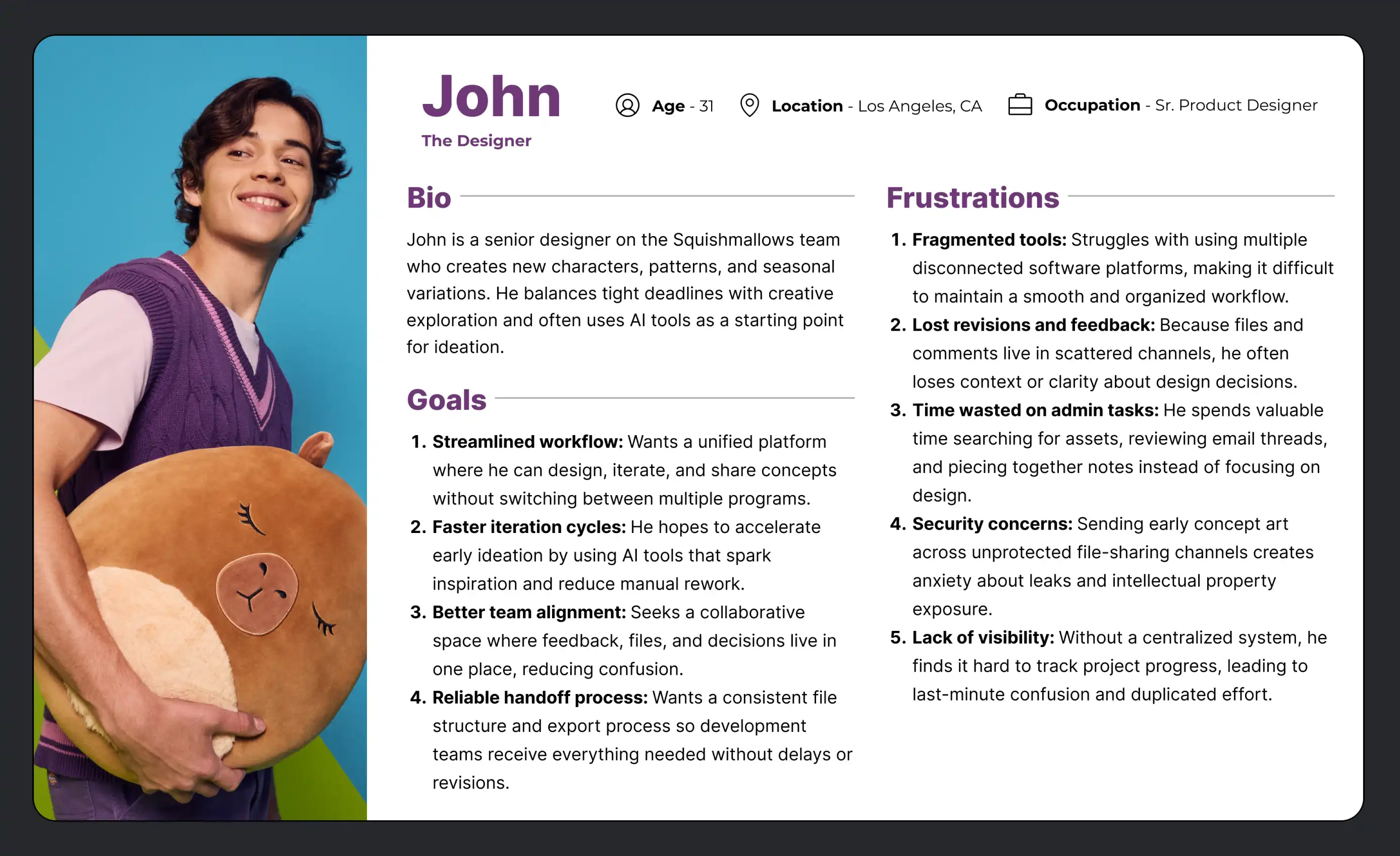
We centered our MVP around the designer because they own the full journey: from initial CAD, to AI-assisted sample imagery, to shaping the character’s story. If the product could truly support this role, it would naturally benefit adjacent teams like copywriters and product managers. Throughout development, we returned to this persona to stay focused and avoid scope creep as leadership proposed additional features.
IDEATION
Prioritizing what is important
This project attracted a lot of attention internally, not just from design and product, but from innovation, IT, photo, security, and even HR. Because the software touches sensitive assets and workflow processes, everyone understandably wanted a voice in shaping it. To avoid scope creep, conflicting directions, and unnecessary cost, we created a prioritized feature matrix. This allowed us to filter ideas based on impact and effort, stay aligned across teams, and keep the project focused, feasible, and affordable.

Three Separate Workflows Collided and Created Delays
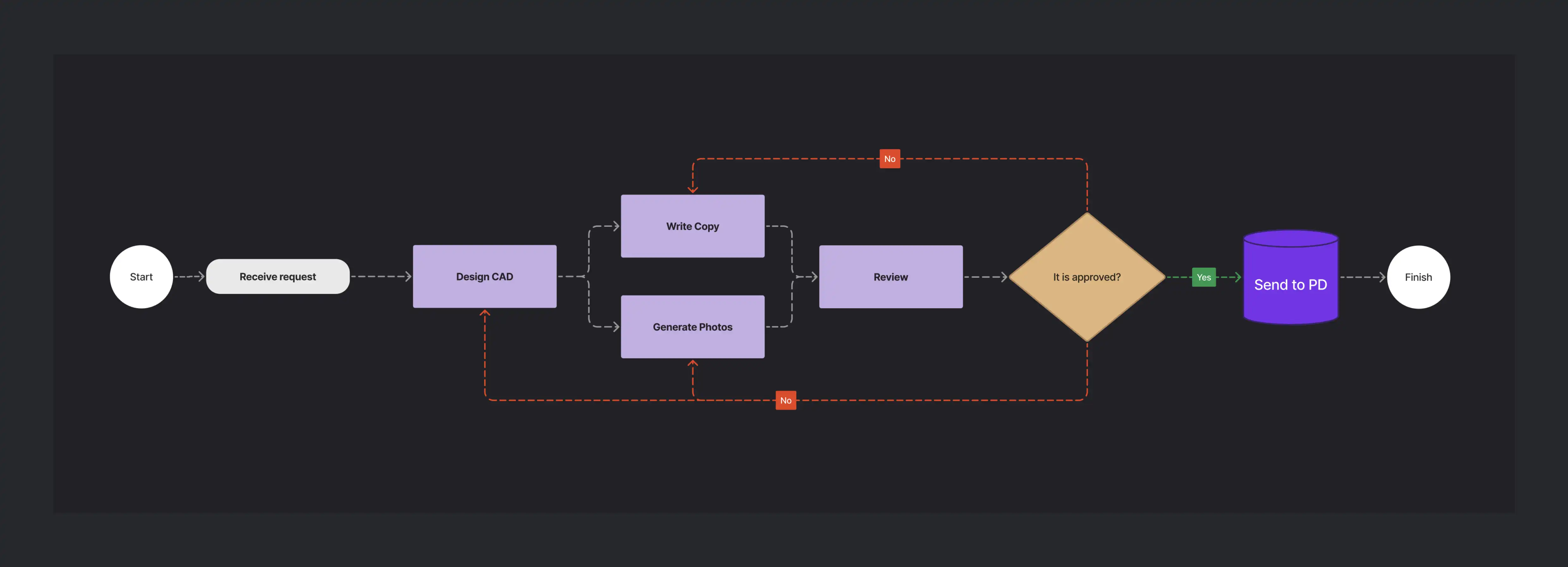
The previous workflow required three separate processes to eventually merge, relying on 10+ different software tools and three disconnected file storage systems. Communication happened mostly through email, and photography couldn’t begin until PD produced physical samples, delays that routinely pushed back launch timelines and created downstream bottlenecks.

Unifying Design, Copy, and Photography Into One Streamlined Workflow
With the new proposed platform, the three disconnected workflows are unified into a single streamlined system. Designers, copywriters, and photographers work in parallel within the same tool, and approvals happen collaboratively in one place. This eliminates back-and-forth delays, reduces miscommunication, and dramatically accelerates concept review.
Pulling From the Team’s Existing Tools to Design a Familiar Workspace
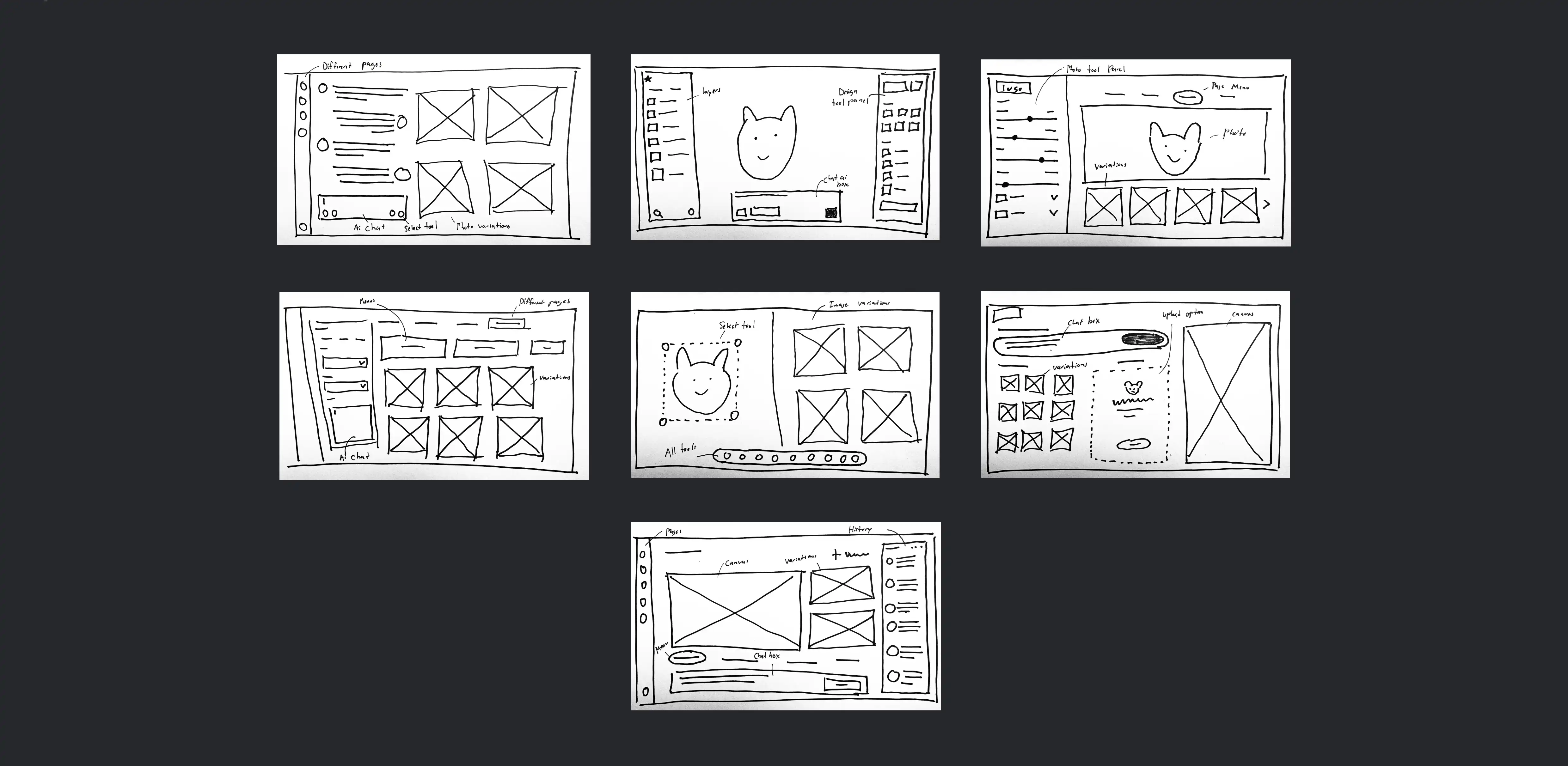
Before moving into high-fidelity designs, I created a series of quick layout sketches to explore the structure and functionality of the dashboard under tight time constraints. These helped me rapidly test navigation, canvas placement, and tool panels without investing in full mid-fidelity wireframes. Because our primary user persona works heavily in Illustrator, I leaned toward an Illustrator-style layout, familiar iconography, palette tools, and panel organization, so the workspace would feel intuitive from day one.
THE DESIGNS
KEY SOLUTION #1
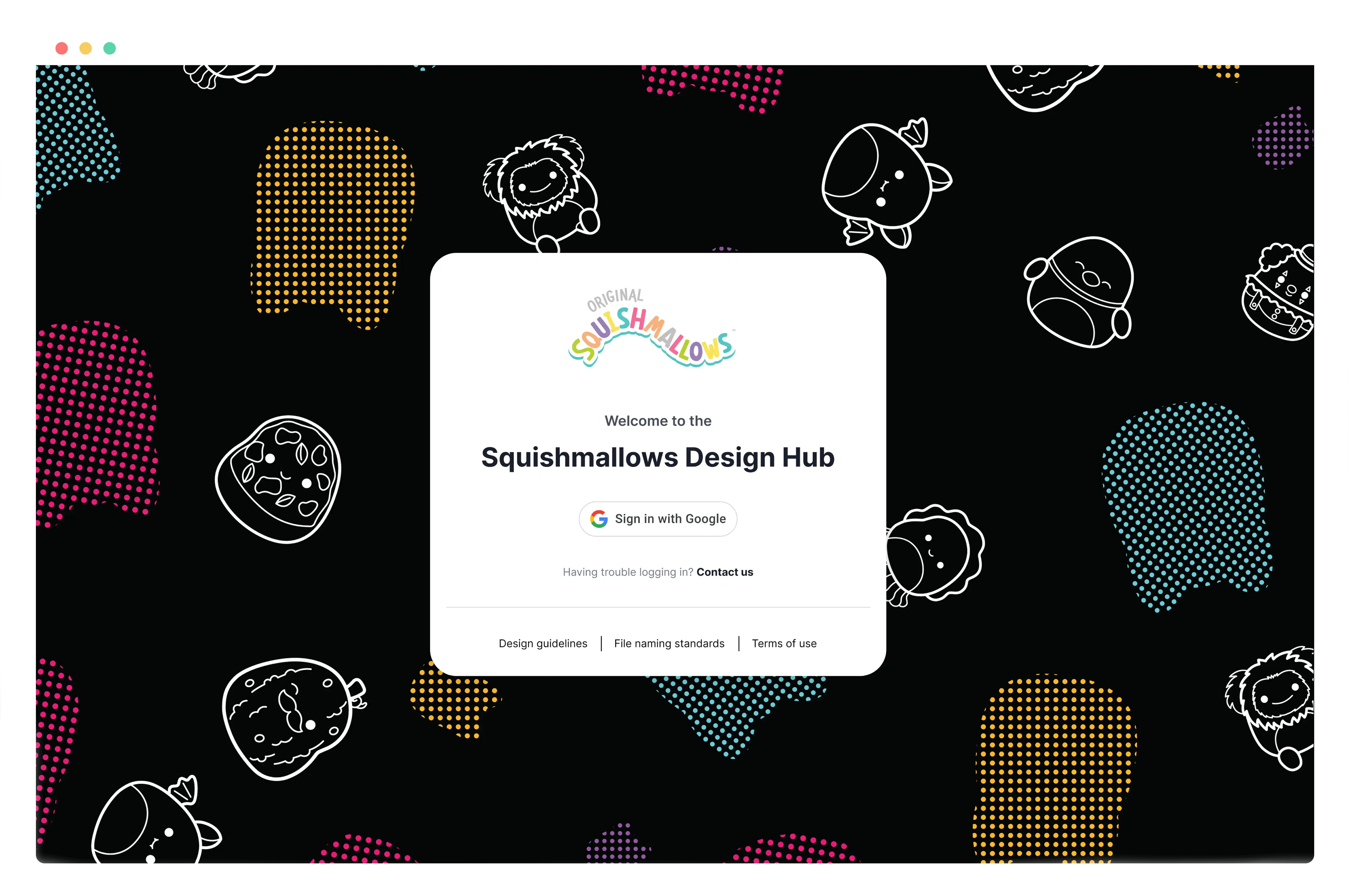
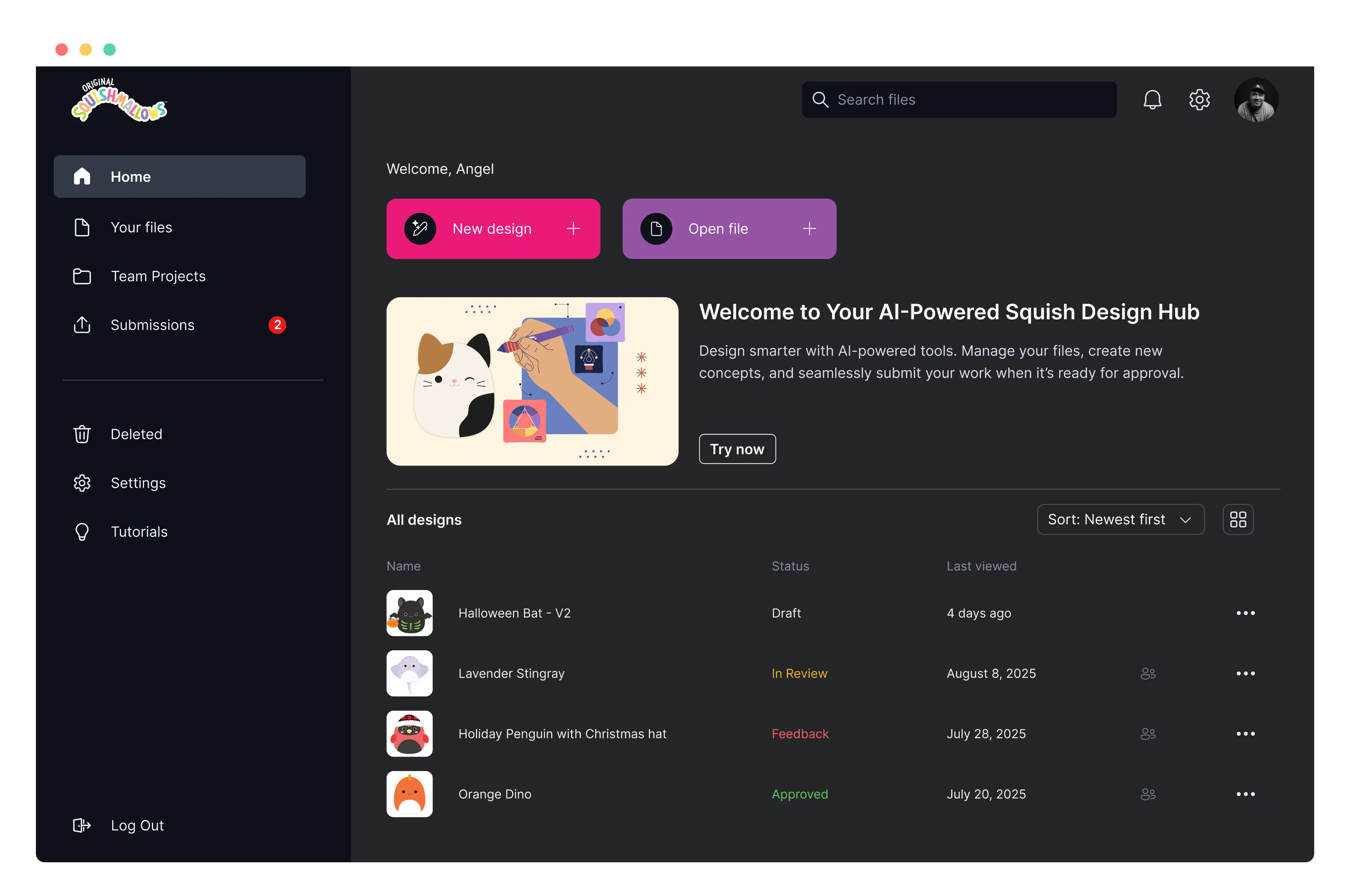
A platform that replaces messy Drive storage with organized projects, version control, and end-to-end visibility.
Insight: Files are scattered, outdated, and difficult to manage in Google Drive.
KEY SOLUTION #2
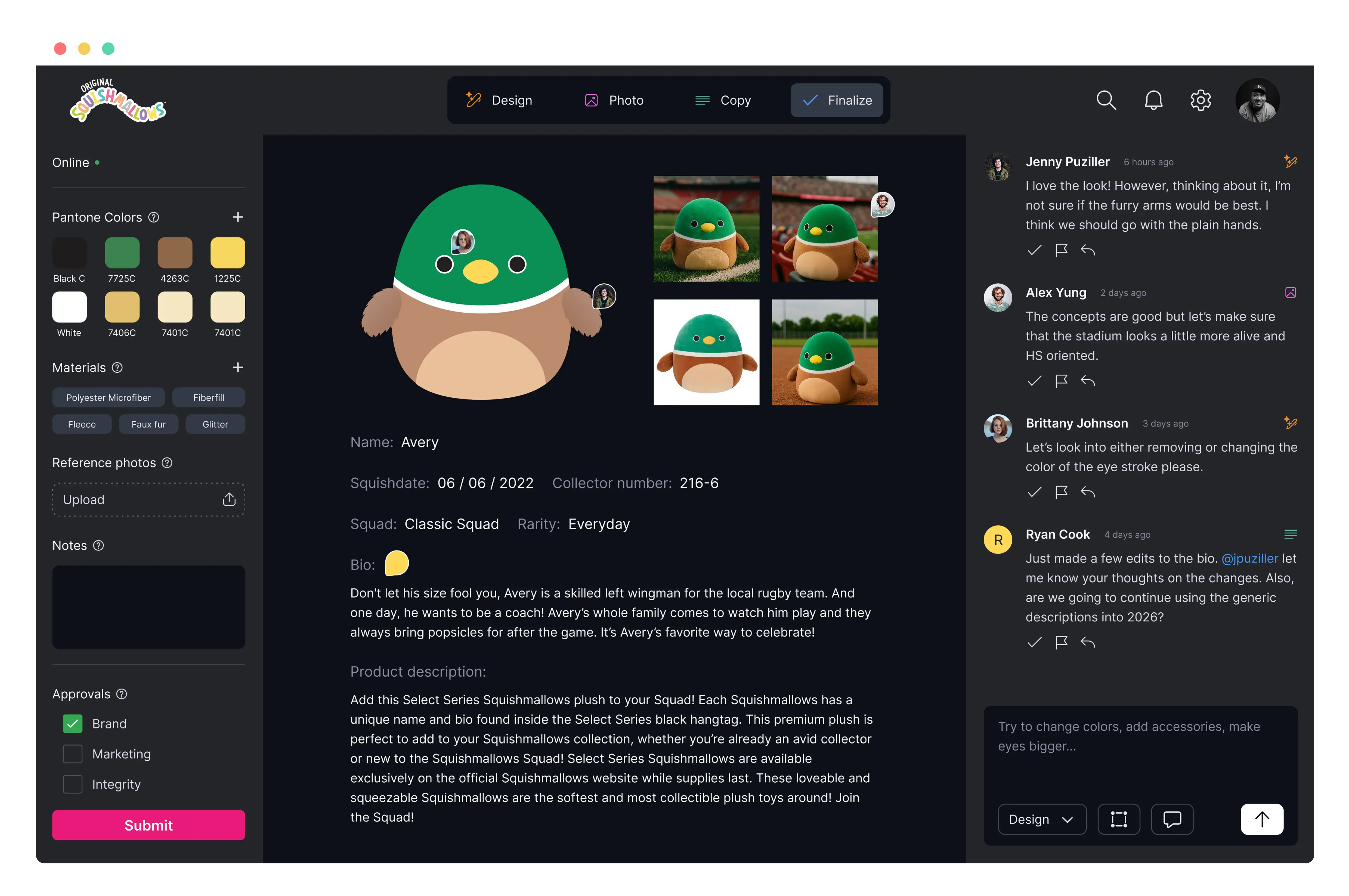
A native AI design environment that lets designers generate, edit, and iterate without ever leaving their creative workflow.
Insight: Jumping between Illustrator and external AI tools disrupts their workflow.
KEY SOLUTION #3
A centralized feedback and approval system that brings licensors, leadership, and stakeholders into one shared workspace with clear versioning and decision history.
Insight: Feedback is scattered and inconsistent across emails, licensors, and squads.
Targeted Ai Edits Without Starting Over
The insight
Designers shared frustration with existing AI tools because they regenerated entire images when only a small adjustment was needed, forcing unnecessary restarts, slowing production, and losing good work.
The solution
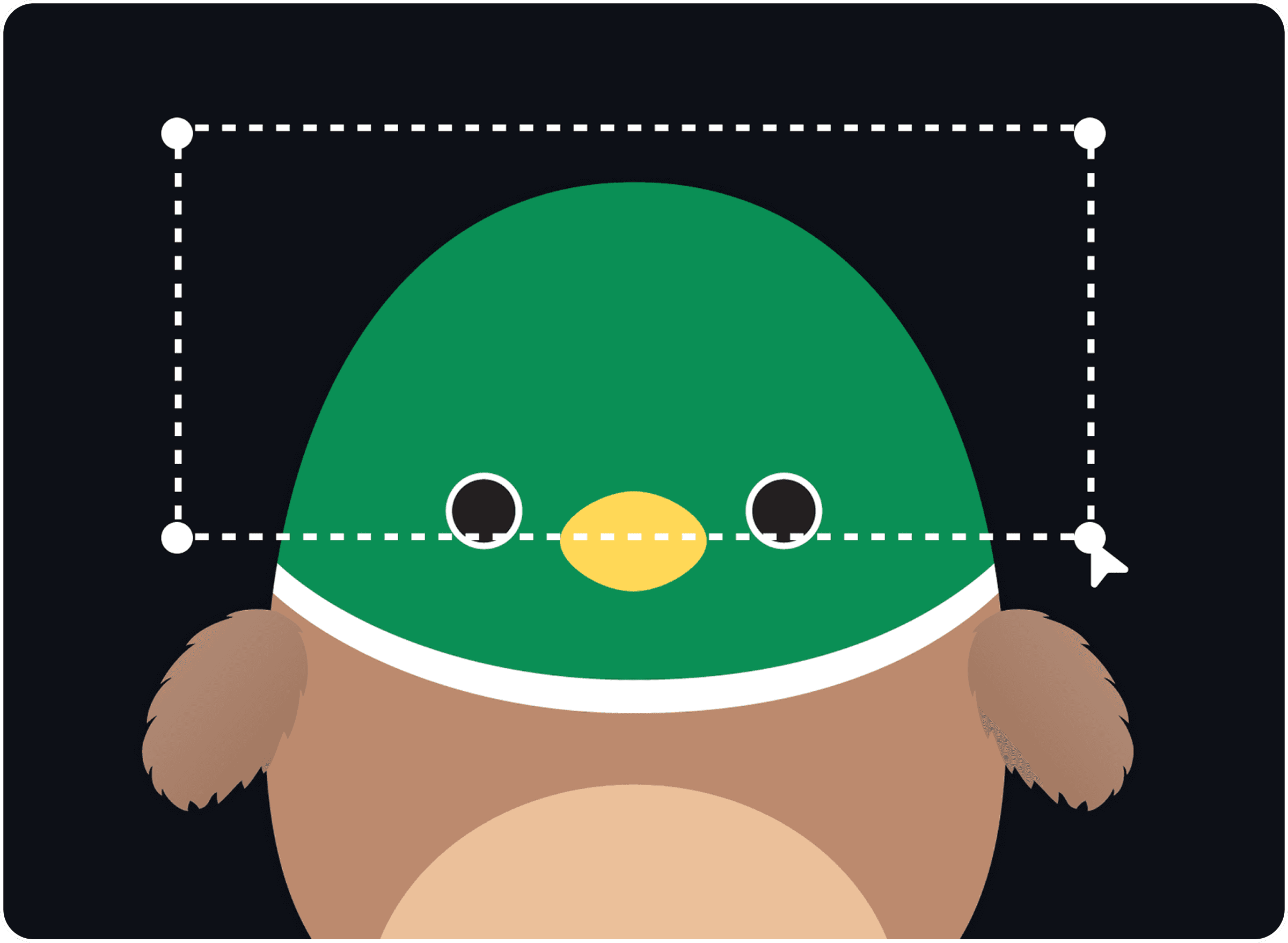
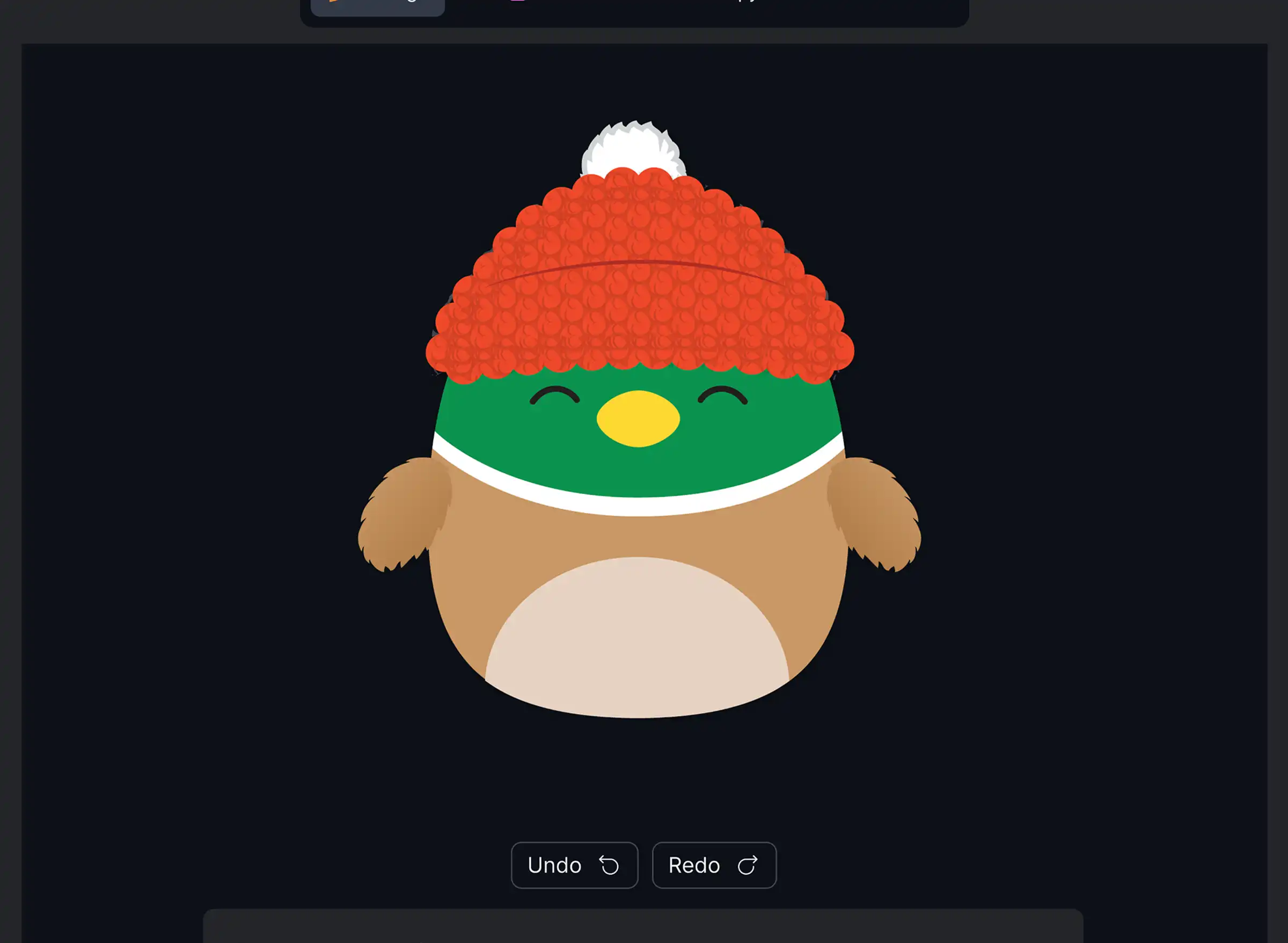
We incorporated selective generative editing inspired by Firefly’s “Generative Fill.” Designers could highlight a part of the CAD, prompt changes, and only that region would update. This allowed targeted tweaks without losing the original base. f burying innovation updates in emails or decks, employees now have an inviting home to explore them.

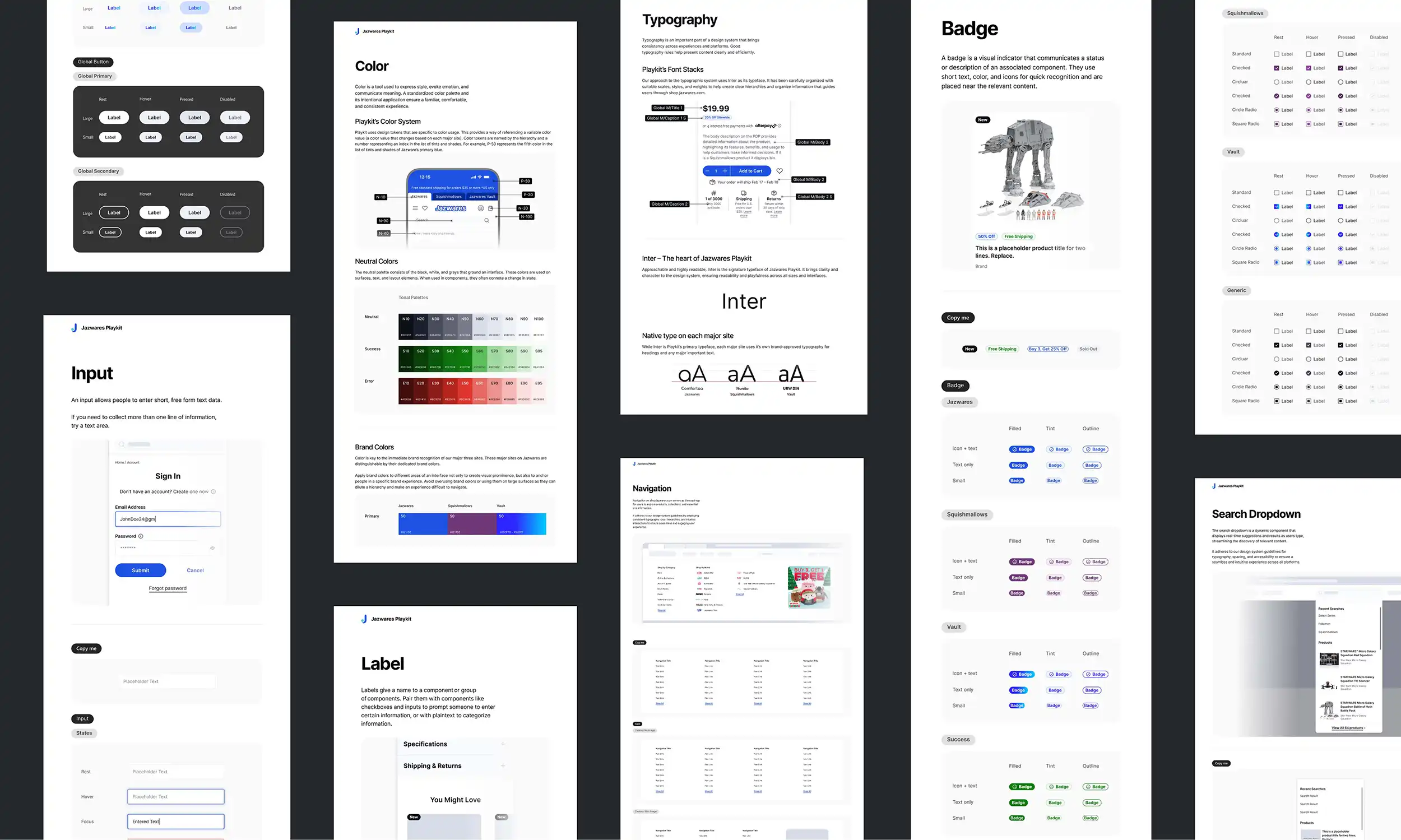
To ensure visual consistency and accelerate delivery, I leveraged Jazwares’ internal design system, which I previously helped build and maintain. Using established components, typography, spacing, and interaction patterns allowed the experience to feel immediately familiar and on-brand while dramatically reducing design time compared to starting from scratch. This approach enabled me to focus more deeply on solving user problems and refining key moments in the experience rather than rebuilding foundational UI patterns.
Development Vendor
We will identify and partner with an external development vendor capable of building the platform, since the scope and complexity exceed our current in-house engineering capabilities.
Legal Process
Our legal team will review the vendor contract and the prototype specifications to ensure compliance, security, and clarity on ownership and responsibilities.
User Testing
Once a working version is delivered, we will conduct targeted user testing to validate functionality, identify usability issues, and refine the experience before full rollout.
Reflection
This project pushed me to design with restraint. As a designer, I was excited to explore advanced tools like blur effects and pathfinder features, but I had to stay grounded in what Squishmallows designers actually needed day-to-day. The goal was never to solve everything, but to significantly reduce reliance on outside platforms and centralize feedback and file management in one place. It was also the most stakeholder-heavy project I’ve worked on at Jazwares, which complicated things.
Next Steps
Ai is changing our process fast and one of the things recently brought up in our workflow is to use tools such as Bolt or Claude to get to prototyping to get to user testing sooner. This was something that in terms of the actual tools was not possible with Figma so we have been planning this on my roadmap.